Custom Transitions:
3 Top React Native Navigation Tips


Today, we bring a glimpse into React Native Custom Transitions. Written by our Frontend Engineer, Juan Padin.
When building high-quality mobile applications, it’s important to combine great UX with a solid technical foundation. That’s why many teams rely on Cross-Platform App Development Services to ensure their apps deliver consistent, scalable, and high-performance experiences across iOS and Android.
Dive into Custom Transitions
First of all, the Stack Navigator facilitates seamless transitions between screens in your app, stacking each new screen on top of the existing ones.
By default, it adopts the recognizable iOS and Android visual style, with new screens sliding in from the right on iOS and utilizing the default OS animation on Android.
However, these animations can be tailored to suit your specific preferences and design requirements.
Beyond transitions, optimizing the first interaction users have with your app is just as critical. Combining navigation improvements with techniques like creating a smooth splash screen experience in React Native can significantly enhance perceived performance and deliver a more polished and engaging user experience from the very first screen.
Gesture Direction
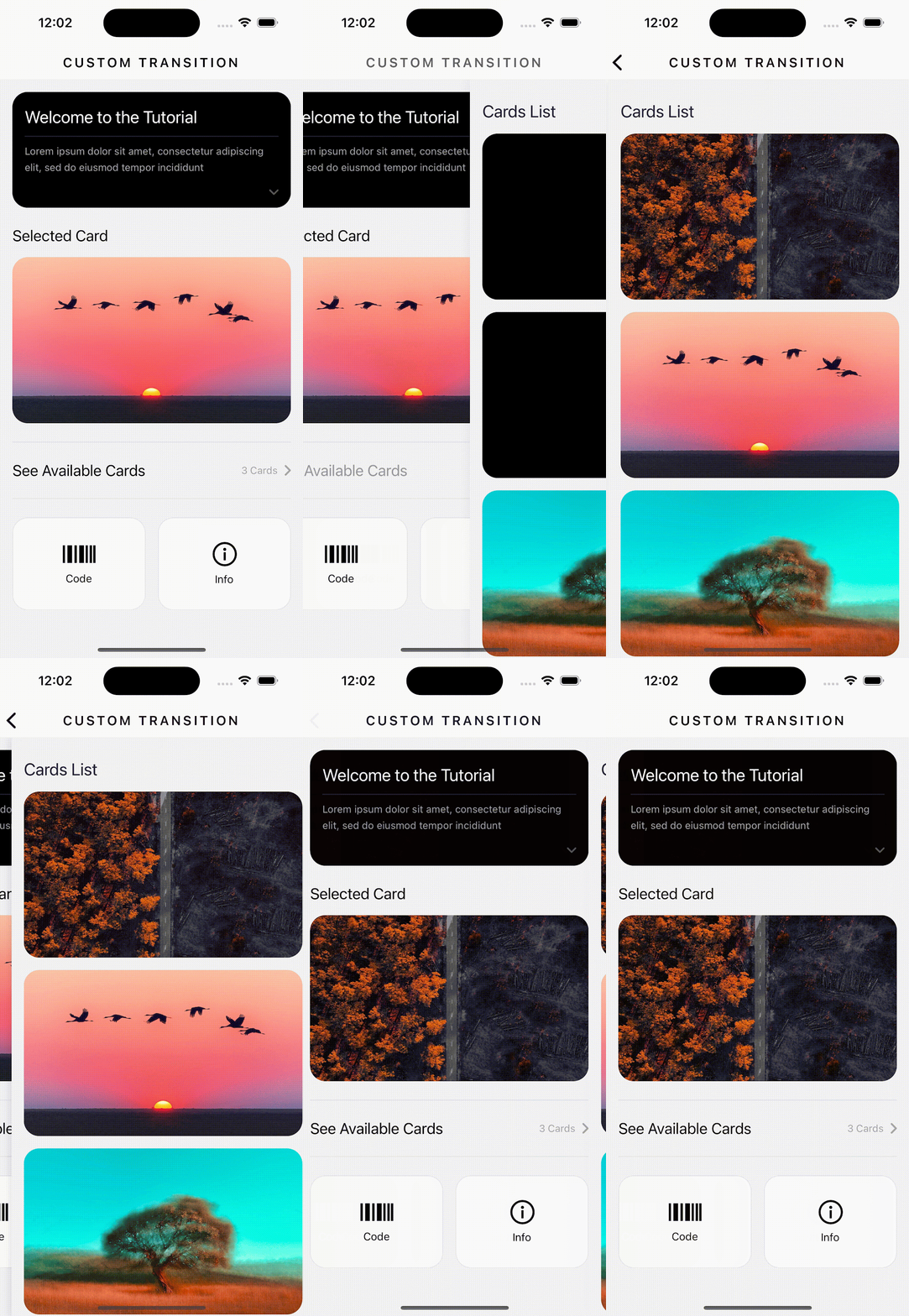
When navigating between screens, the default transition is often horizontal.
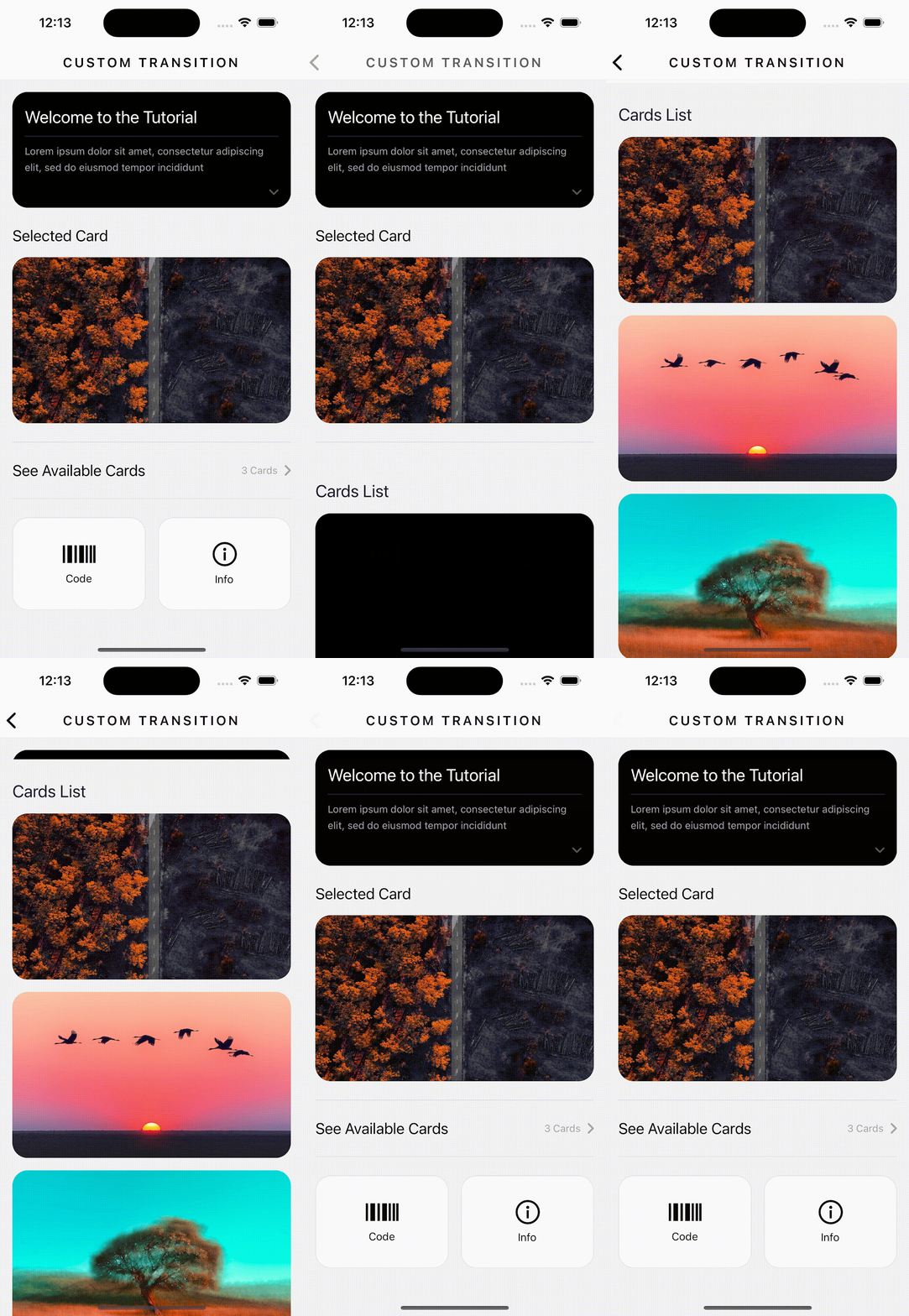
But did you know that you can customize this experience using the ‘gestureDirection’ attribute?
Hence, this attribute accepts two values: ‘horizontal’ and ‘vertical.’
By applying this attribute, you have the power to change the navigation flow either across the entire stack or on a more granular level for individual screens.
Horizontal (default)
Vertical
So now, let’s explore how to create a more customized transition in your stack navigation.
The stack accepts a property called cardStyleInterpolator in the options attribute, allowing you to define a function that customizes the animation between screens.
This property lets you specify how card components should animate during the transition.
The supported properties include: containerStyle, cardStyle, overlayStyle, and shadowStyle.
The function passed to cardStyleInterpolator receives the following arguments: current, progress, index, closing, and layouts.
For more detailed information on these elements, you can visit the official React Navigation documentation https://reactnavigation.org/docs/stack-navigator/.
A config that just fades the screen looks like this:
<Stack.Screen
        name="List"
        options={{
          cardStyleInterpolator: ({current}) => ({
            cardStyle: {
              opacity: current.progress,
            },
          }),
        }}>

        {props => <ListScreen {...props} index={index} setIndex={setIndex} />}

 </Stack.Screen>
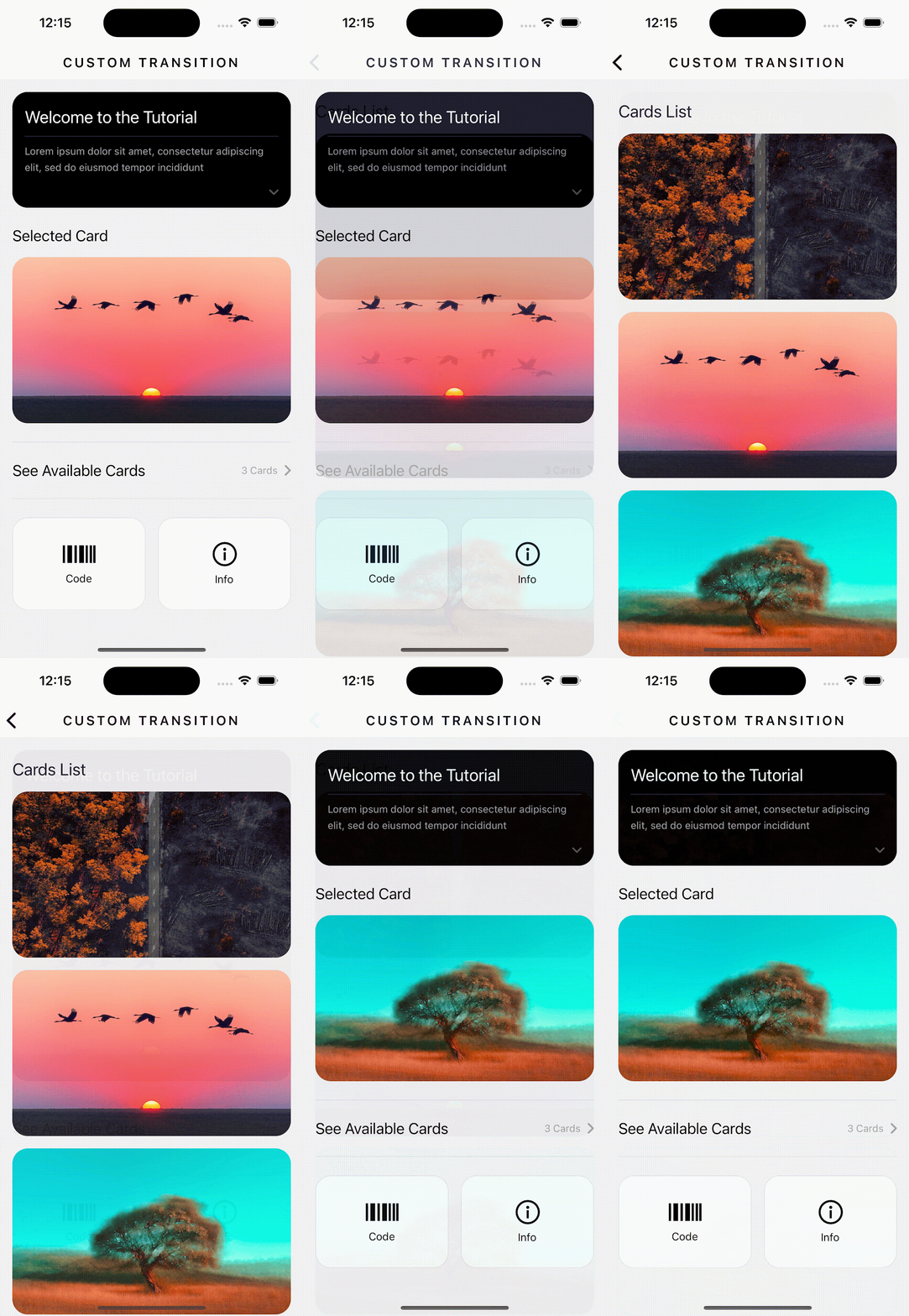
Another exciting avenue for crafting custom transitions is to export various configurations from the library, equipped with ready-made animations.
For instance, you can leverage the CardStyleInterpolators from @react-navigation/stack to streamline your transition animations. Here’s a quick example of how to implement it:
import { CardStyleInterpolators } from '@react-navigation/stack';

// …
<Stack.Screen
        name="List"
        options={{
          cardStyleInterpolator:
            CardStyleInterpolators.forScaleFromCenterAndroid,
        }}>

        {props => <ListScreen {...props} index={index} setIndex={setIndex} />}

</Stack.Screen>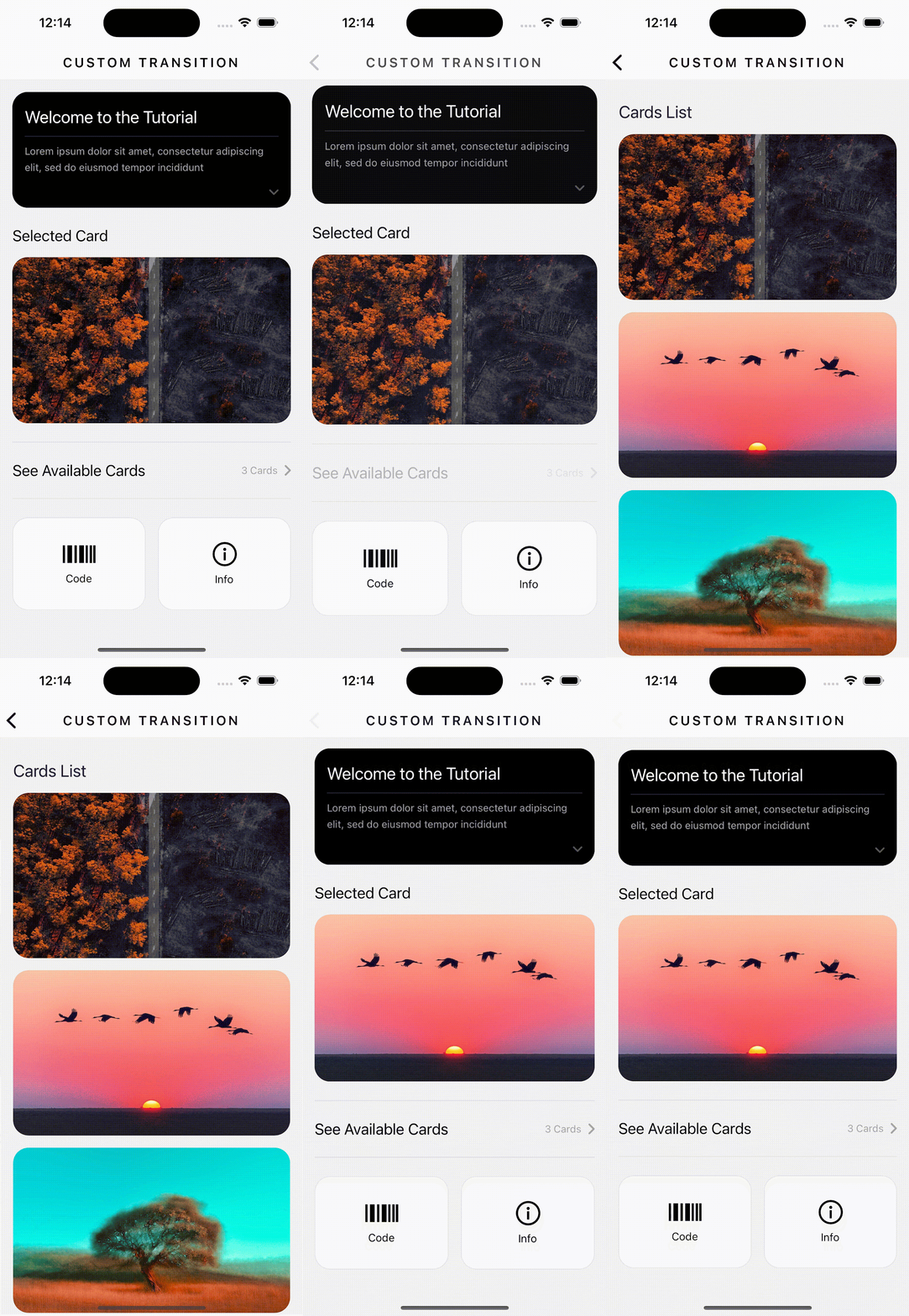
These are just a few simple ways to inject a bit more vitality into your transitions, ensuring they’re not always the same.
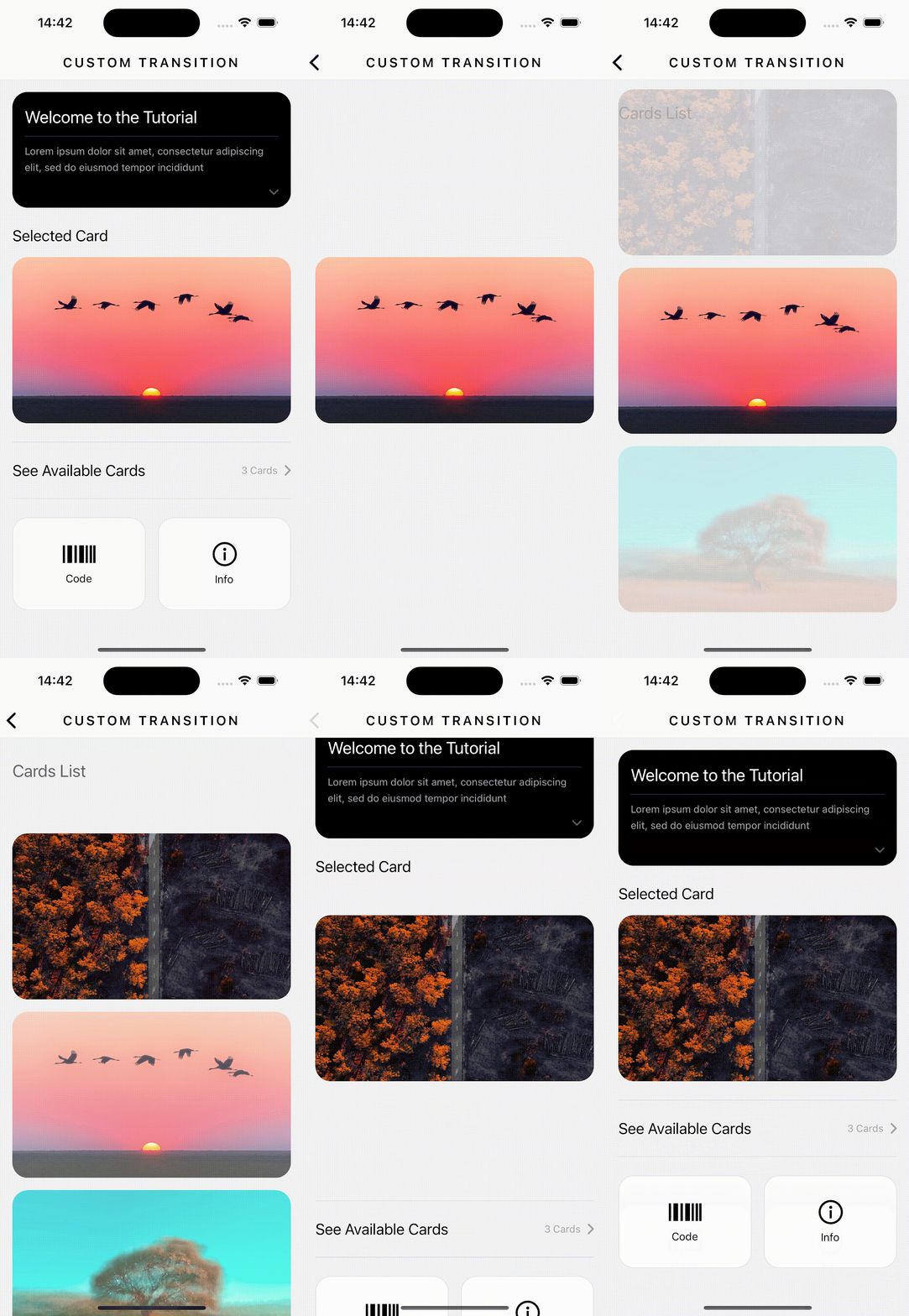
But, if you’re eager to explore a more intricate example, check out the video at the end.
It showcases the use of the aforementioned techniques with some variations, resulting in a captivating and polished final outcome:
Let’s get visual
Let’s round up
So, react native is here to stay and slay!
All in all, optimizing React Native’s use is essential to creating a fast, responsive, and user-friendly mobile app. Here you’ll find more tips.
Go browse our blog and Instagram for improving optimization: Splash Screens in React, animations, vision camera, video, image picker, vector icons and maps!
Keep on reading our latest for more and comment, remember: Sharing is Caring!
Related articles

May 5, 2025 | 3 min read
React Native: The Humane Space an end-to-end app by Effectus

Apr 24, 2025 | 3 min read
An App for you: Earthsnap built with React Native by Effectus Software Team

Jul 29, 2026 | 4 min read